¶ How do I install a different version of the game?
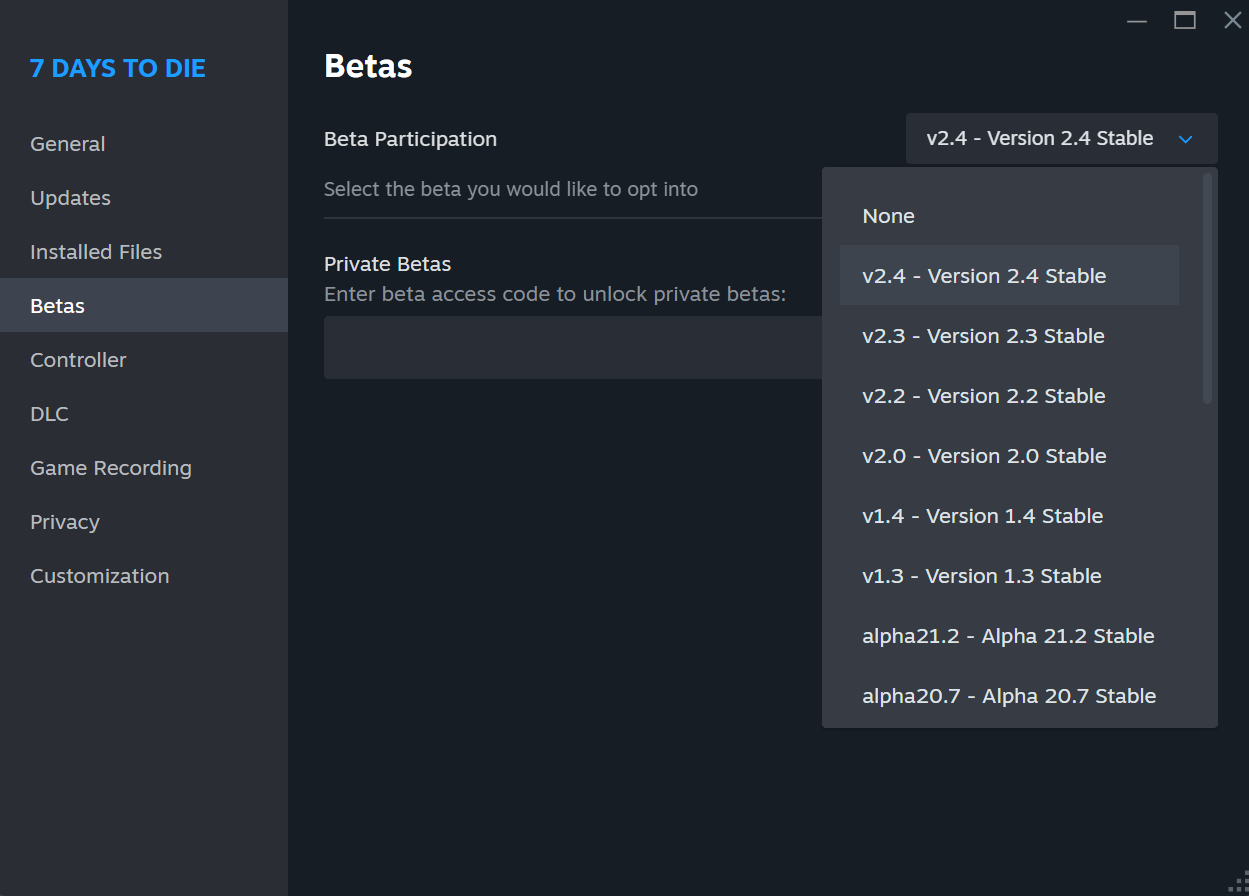
- Open Steam.
- Go to your Library and find 7 Days to Die.
- Click the ⚙️ gear icon → choose Properties.
- On the left side of the nav list, click Betas.
- In the Beta Participation dropdown, select the version you'd like to install.
The numbered versions are pretty self-explanatory. Selecting public will install the latest stable version (currently 2.5) while selecting latest_experimental will install the latest experimental version.
It is strongly encouraged that you explicitly set your client to a numbered version and not use the dynamic versions (public or latest_experimental) unless there is no other way to get the version you need. The mapping of dynamic versions to numbered versions is...dynamic...and so can change at any time, causing connection issues to the server.
¶ What's a blood rain?
Blood rains are essentially blood moons, just on a different schedule. They use the exact same code to spawn zombies and send them at players. I just tweaked the code that triggers them.
Specifically, blood rains happen on a real world schedule (e.g. 8 PM Eastern every day) and ignore game time. Unlike blood moons, blood rains can happen during the day, therefore the name "blood moon" wasn't appropriate any more.
The name "blood rain" is meant to conjure images of zombies raining from the sky in a meteor shower, though actually showing a meteor shower would require client side mods and a level of artistic skill I do not possess. This is why you see images of meteor showers and eclipses in much of the Stronghold marketing materials. The eclipses are thrown in to explain why it gets dark during the daytime.
¶ How to Submit a Ticket in City Hall
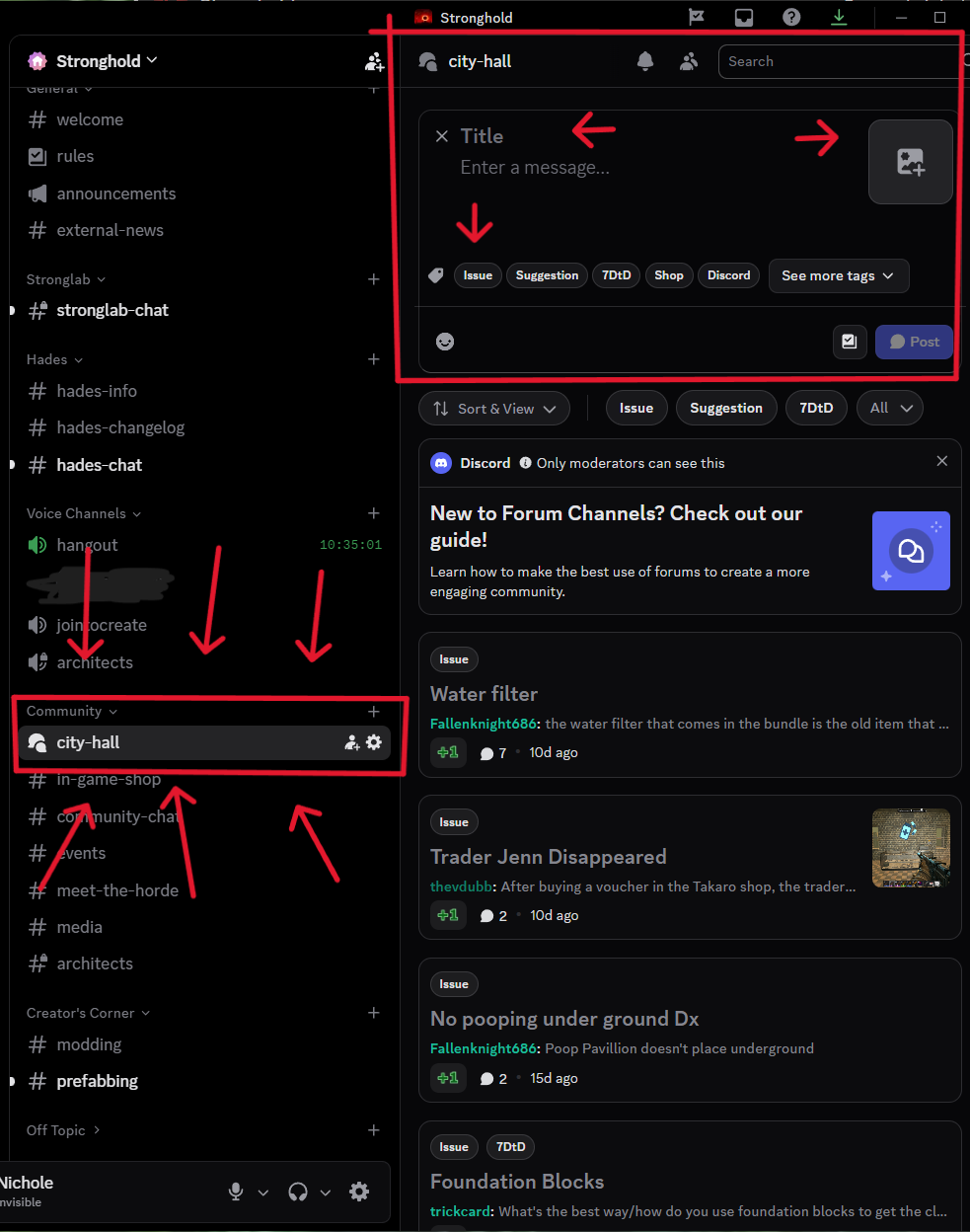
Follow these steps to submit a ticket for admins and community members to see.
- Go to the Stronghold Discord.
- Under the Community category, select City Hall.
- Click “New Post.”
When submitting a post, please provide as much information as possible.
This may include:- The issue you’re reporting
- Coordinates
- Relevant details
- Photos (optional but recommended)
You can use City Hall to:
- Report problems
- Request admin assistance
- Submit suggestions
- Ask for an admin to review something in-game
- Stay informed on common issues
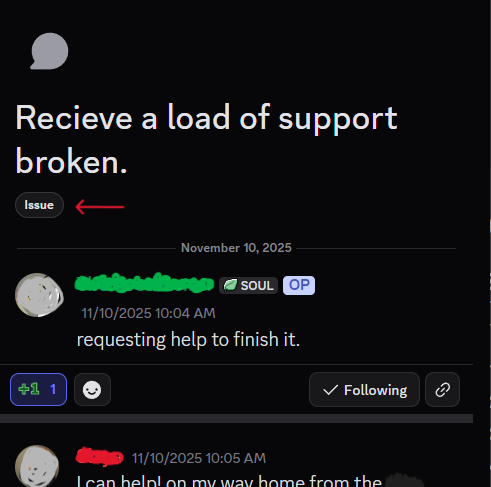
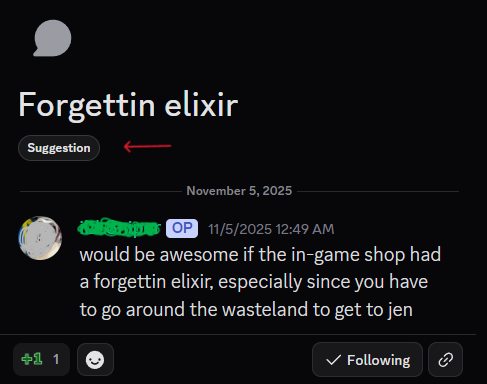
Be sure to add a tag such as Issue or Suggestion when creating your post. This helps the admin team identify and handle topics according to their roles and responsibilities. Using City Hall is the fastest and most efficient way to get the attention of someone who can assist you.
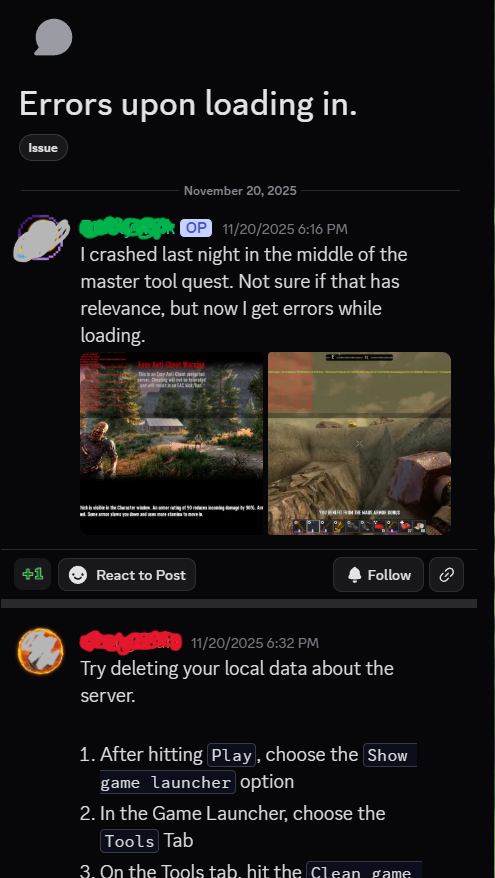
EXAMPLES:
| ------ | ------ | ------ |
|  |
|  |
|  |
|
¶ How to link your account to takaro
Follow the Steps and phots below to link your game account to takaro using your email.
| Sequence: | Linking your account to Takaro | To englarge image, right click and open in new tab. |
|---|---|---|
| Step 1: | To get the URL with your own unique secret code just type /link in the in-game chat box. | 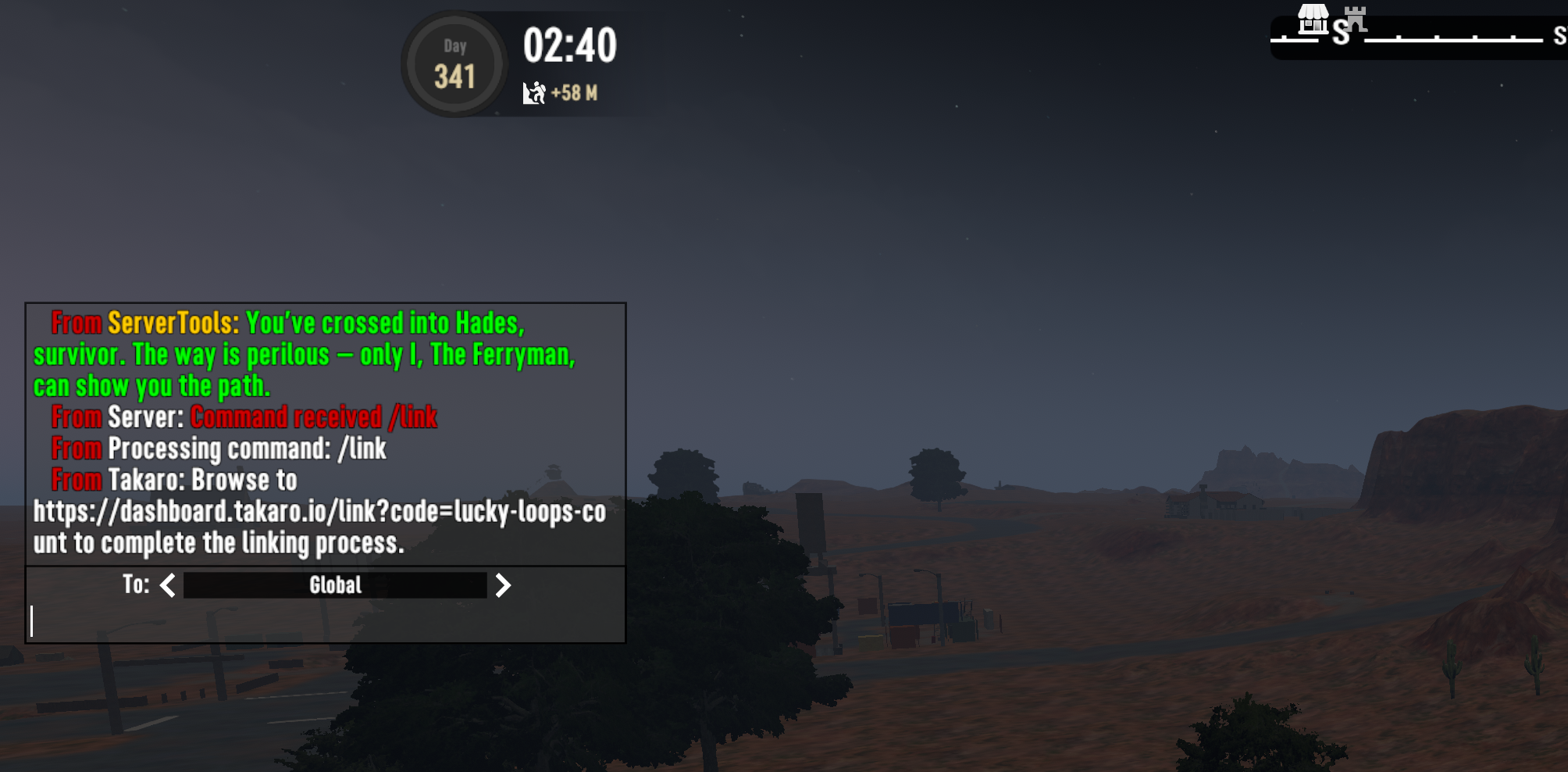 |
| Step 2: | Open your web browser and manually type the full URL exactly as it appars in the chat. Press Enter. | 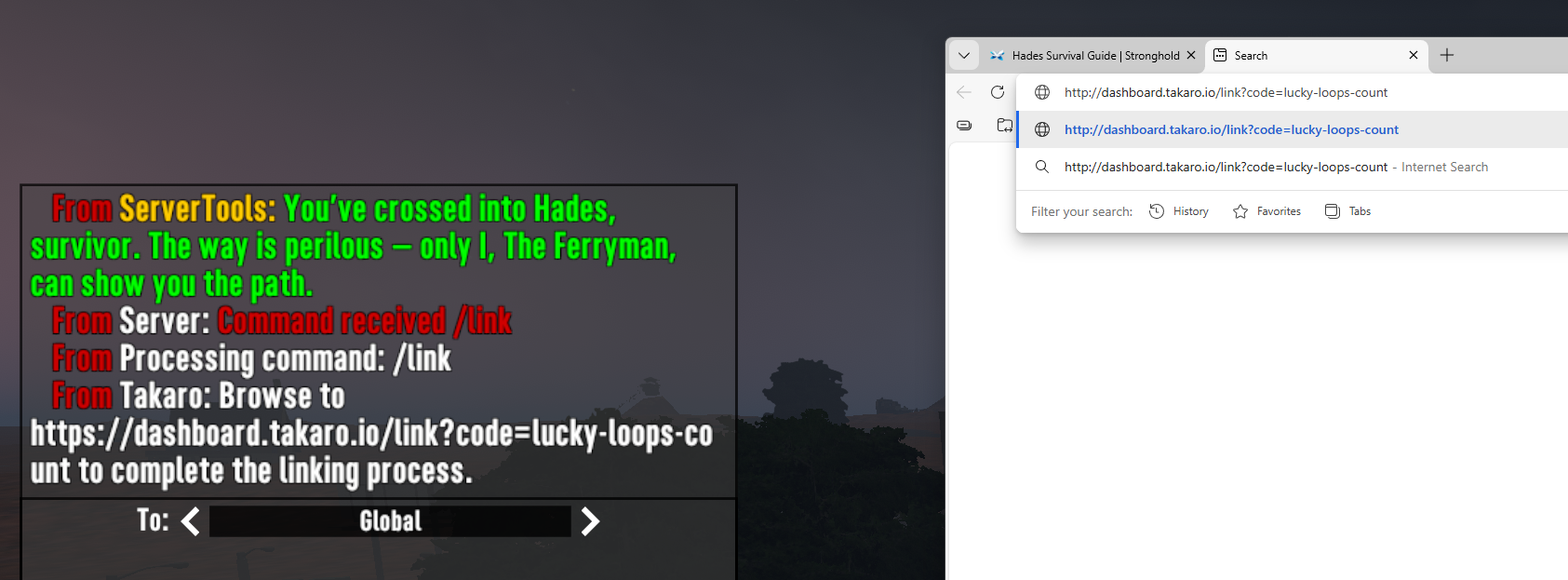 |
| Step 3: | The Browser will bring you to the Takaro page, enter the email address you want to use and click “Link Player Account.” | 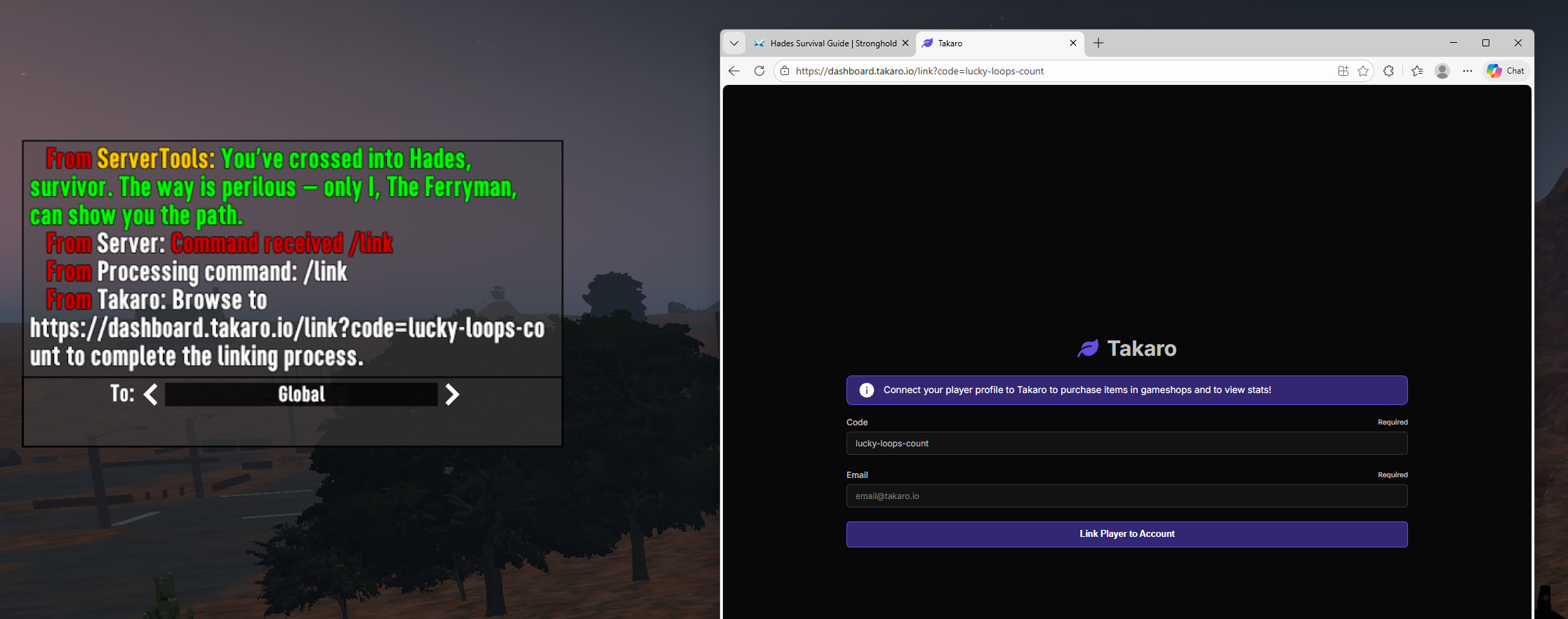 |
| Step 4: | You should see a confirmation message: “Player Linked Successfully!” | 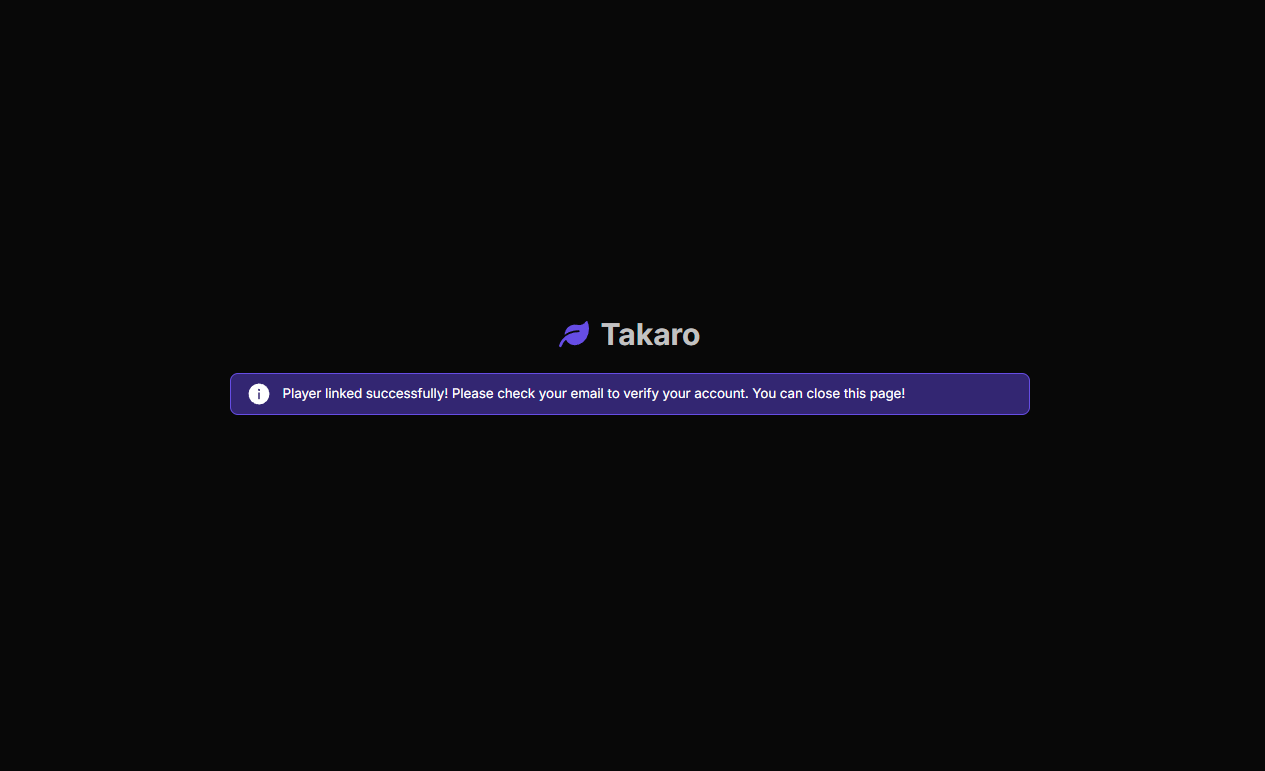 |
| Step 5: | Check your email for a message from Takaro. Click “Click here to sign up.” |  |
| Step 6: | The link will bring you to a Takaro page. Your email will auto-fill. Enter the password you would like to use and click Save. | 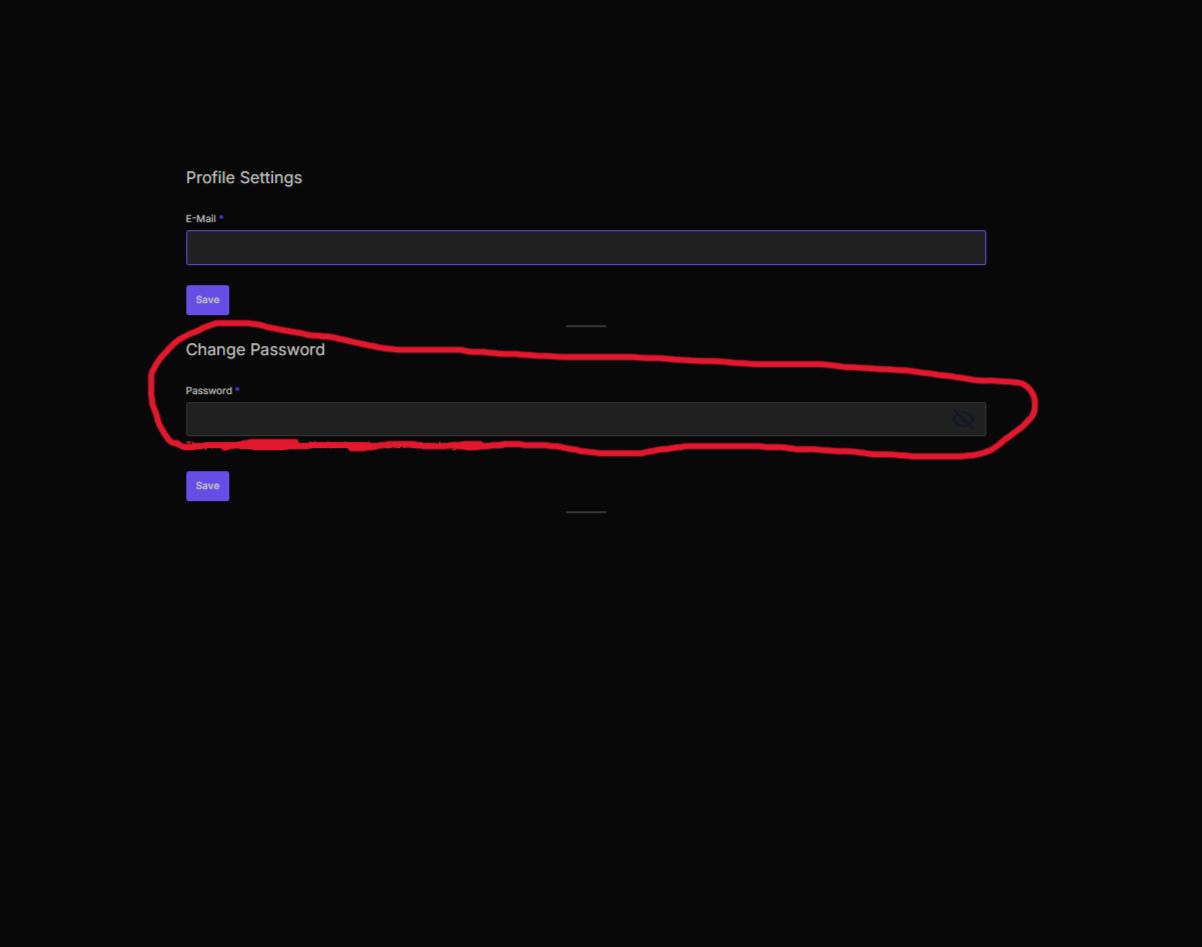 |
| Step 7: | You will be taken to the Takaro sign-in page. Log in using the email and password you just created. | 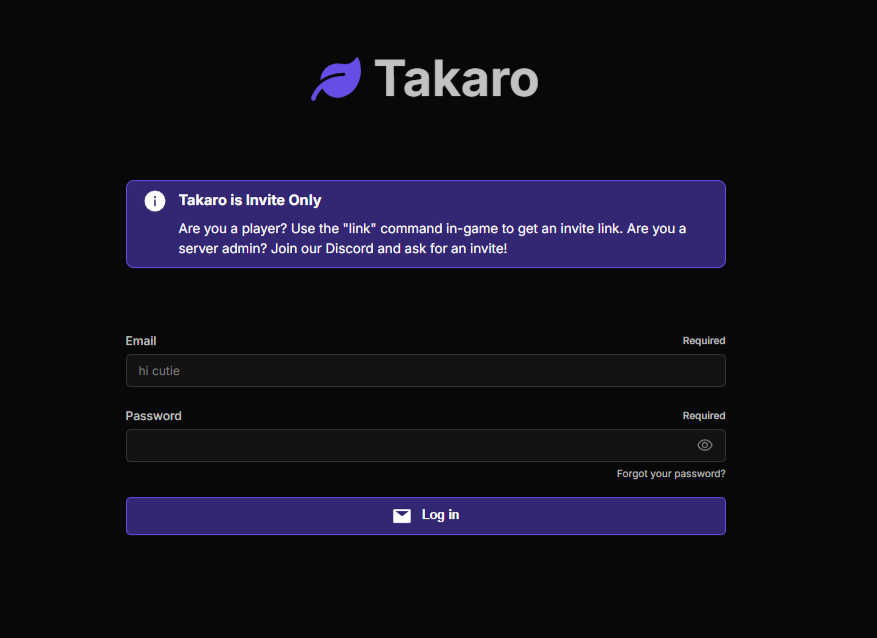 |
| Step 8: | Once completed, your account is fully linked. You may now use the in-game command /shoplink to access the Stronghold Survivor Shop. | 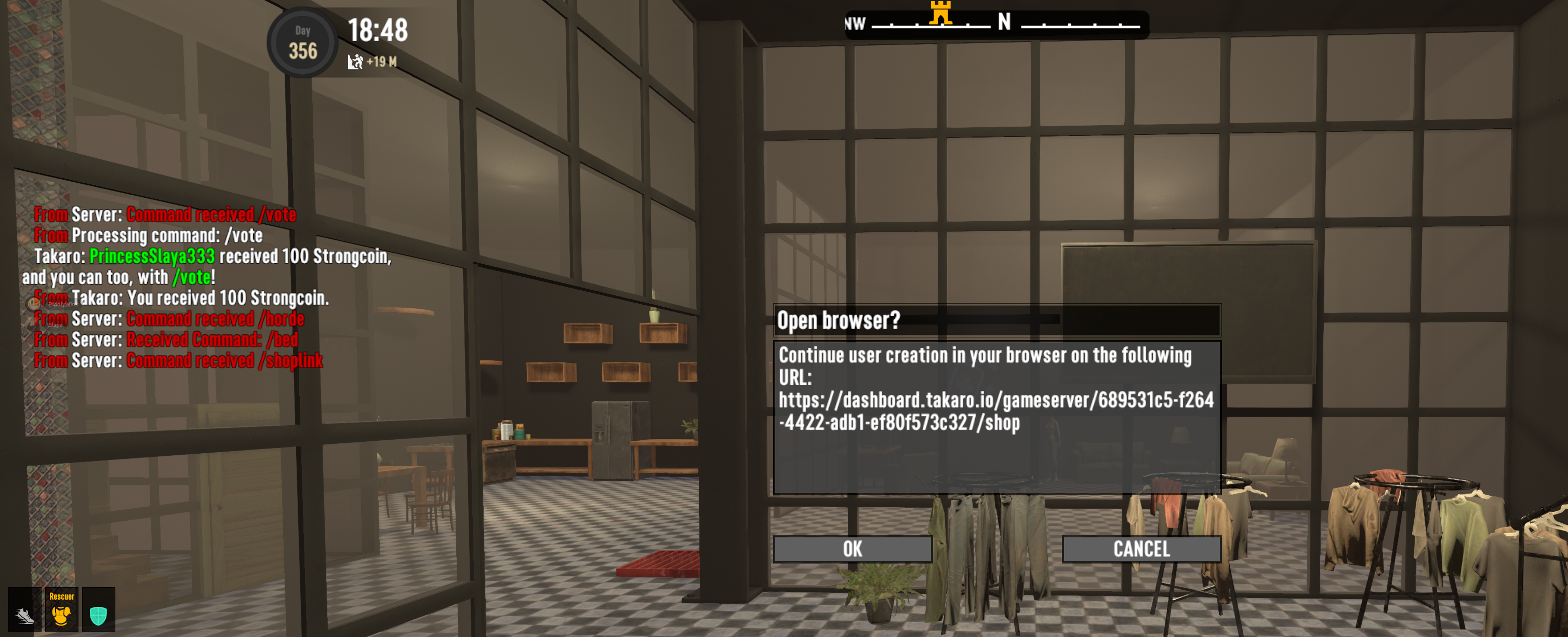 |
¶ What's a quest POI and how do I know when I'm in one?
You'll know you're in a quest POI when red skulls show up under the name of the POI. Orange skulls do not count, those indicate the difficulty of the biome.
The number of skulls indicates the tier of the POI from 1 to 5. A POI with no skulls is commonly called a T0 POI. T0 POIs are not quest POIs. In most Stronghold worlds it is okay to claim a T0 POI.
¶ I lost / can't place my drone
- Try the
/dronefixchat command, which should teleport your drone to you. - If dronefix says you don't have a drone, but you still can't place one, try
/dronereset. WARNING: This command will disconnect you from the server. Just log back in after and you should be able to place a drone again.
¶ My game crashed and now I can't log back into the server
Try cleaning your local client data for the server:
- Launch Steam, select 7DtD, and click Play
- Select Show game launcher
- Go to the Tools tab
- Click Clean game data...
- In the dialog that opens, select:
- World and discovered map of remote games
- All maps (radio button)
- Click Clean
- Once complete, try logging in again
¶ Why can't I claim my shop order?
You should be able to claim your shop orders either through on the web or with the /claim chat command in game. However, Takaro, who make the store and manage the website, are investigating reports of difficulties claiming orders.
For example, in the screenshot below, the web shop is saying that the player is offline when they are in fact in game.

Here's what Takaro recommend in the meantime if you're having trouble claiming:
- If you can't claim your order on the web because the UI says you're offline, try using the
/claimcommand in game instead. - If the
/claimcommand in game doesn't work either, check whether you have any outstanding orders through Takaro on other servers (Stronghold, another community, or even through another email) and cancel those orders, then retry. - If that still doesn't work, open a ticket in the Support channel of the Takaro Discord and tag
@strongheartso I can follow and add any additional info that might be needed.
¶ My Radio Station / Support Request seems bugged
Some of the radio station quests from Project Z are bugged, particularly the support requests that spawn airdrops.
- Support Request Small Case (ultra light, ultra strength, and experimental alloy)
- Support Request Medium Case (ultra light, ultra strength, and experimental alloy)
- Support Request Big Case (ultra light, ultra strength, and experimental alloy)
¶ Problems starting the quest
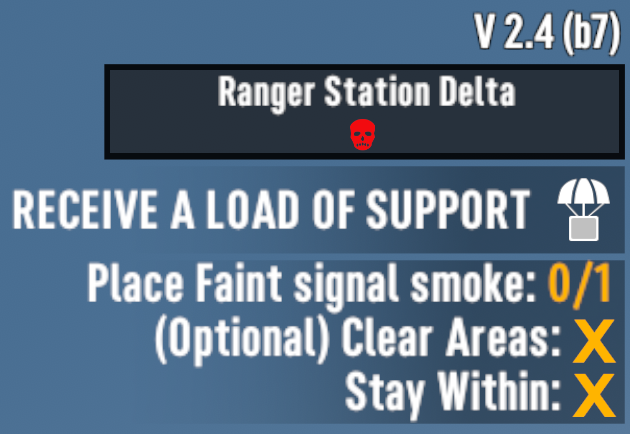
If you get one of these quests and after clicking on the rally point at the POI it sends you to, you don't see a green checkmark next to the Stay Within objective then the quest is bugged and you must get a new one.
Take a screenshot and open a new ticket at city hall. (follow the city hall link directly or locate directly in discord under the community channel) An admin can help you get a new POI by giving you another case. The screenshot to the right shows what a broken quest objective looks like.
¶ Problems spawning the airdrop
If the Stay Within objective seems to be behaving well, be very careful to place your smoke signal on open flat ground near but not in or on the POI, otherwise the air drop may have no place to go and won't spawn.
If you successfully complete the rest of the quest, but still don't get an air drop, open a new ticket at city hall and an admin will help you get back on track.
¶ Can we upgrade 7DtD / Project Z?
Between seasons, absolutely! We will proactively evaluate the latest stable versions of both with the intent of using them in the next season. However, within a season we will only upgrade if doing so would address a major bug currently being experienced by our players.
If we were a smaller server, mid-season upgrades would be fine. And I certainly understand the excitement of trying out the latest features. But upgrades to a running world are risky and as such are very time consuming because we have to thoroughly test that a restored backup of the world has no issues with the new version.
¶ How do I find my Steam ID?
If you can't connect to one of our invite-only servers (e.g. Stronglab) due to an allowlist (aka whitelist) error, DM Strongheart your Steam ID. Your ID starts with 7656 and can be found just below your Steam username on the account page.
Don't worry, this number isn't a secret, it's just not commonly known.